
AI remodeling software for contractors
Scan a room.Design the remodel.Close the deal.
Alcovia turns your phone into a remodeling design studio. Scan any room with LiDAR, generate photorealistic renders, and present to your client — all in minutes.
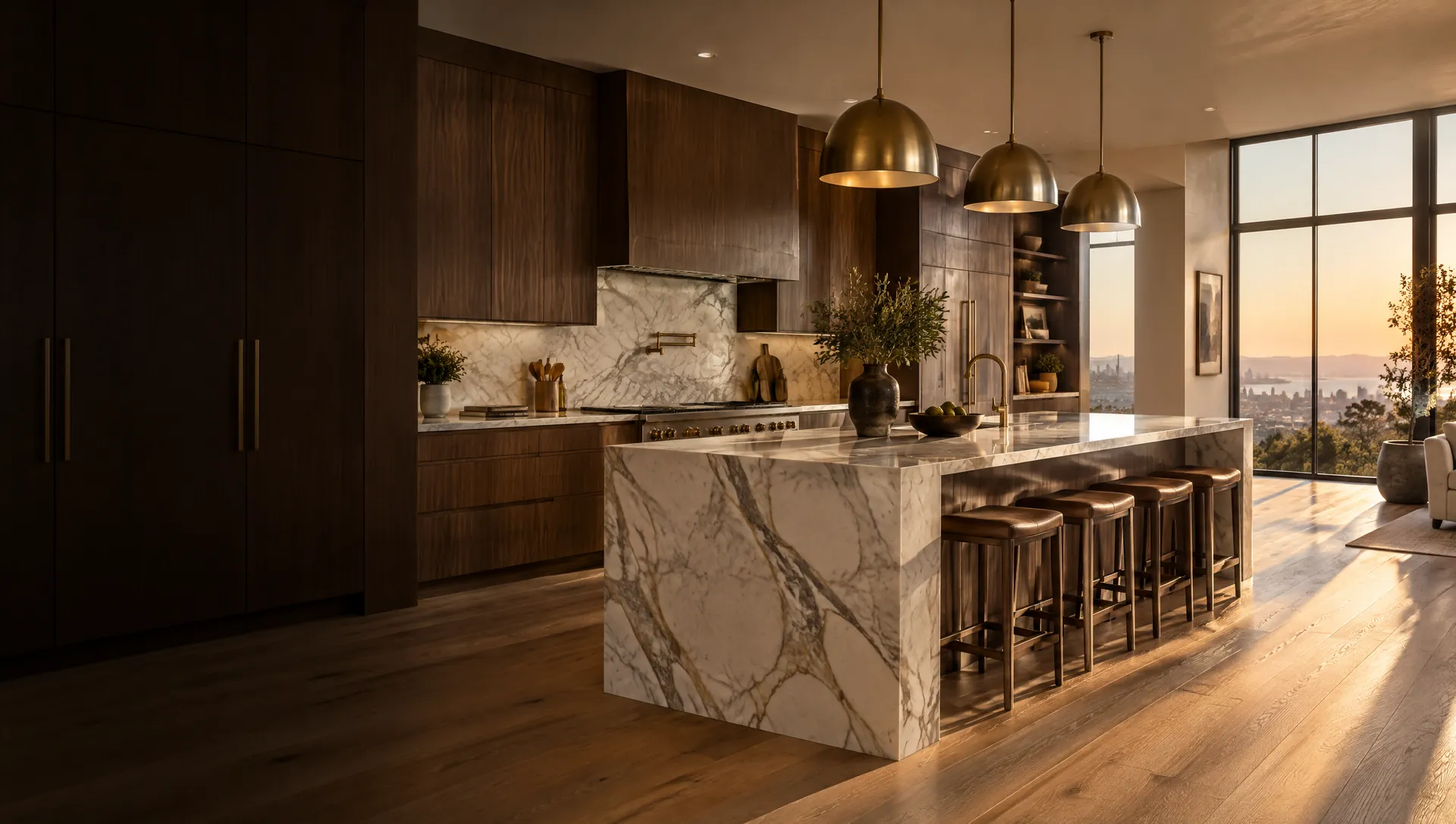
 Example render
Powered by Alcovia
Show your client the finished remodel before you start
Alcovia gives remodeling contractors the power to scan any room, design the renovation with AI, and present photorealistic renders to clients - no CAD software, no designers, no delays.
Explore featuresBuilt for contractors, designed for clients and dreamers.
LiDAR-powered scanning
Scan any room with your iPhone or iPad. Alcovia creates a precise 3D spatial model, fully editable.
AI remodel engine
Prompt Alcovia to move cabinets, change countertops, update flooring - anything your client can dream of.
Photorealistic renders
Generate stunning renders with real materials, daytime and nighttime lighting, and natural shadows.
Client-ready presentations
Export a polished PDF with wide-angle views, close-up details, and material breakdowns for client approval.
Client inspiration import
Your client hands you a Pinterest board or photos they love. Drag and drop them into Alcovia and it reskins the project to match their vision.
Interactive 3D model viewerGrowth
Walk through your remodel in full 3D. Grab furniture, move countertops, swap materials — like playing The Sims in your client's actual home.
Full measurements & floorplansGrowth
Lock in a design and Alcovia delivers precise measurements per room for every installation item. No more guessing on-site.
Material takeoff & instant pricingGrowth
Generate a complete material takeoff ready for ordering. Walk through a custom price list and the PDF export gives an instant estimate - no more going back to the office.
 Example render
01
Kitchen Remodels
Scan the kitchen, redesign the layout with AI, and show your client exactly what their new kitchen will look like - cabinets, countertops, backsplash, colors, sheens, and all.
Build your
dream kitchen
Scan the kitchen with your phone, prompt the AI to redesign the layout, and generate a photorealistic presentation your client can approve on the spot.
 Example render
02
Bathroom Remodels
From vanity swaps to full gut renovations - scan the bathroom, design the upgrade, and present a photorealistic render your client will love.
Deliver stunning
bathroom designs
Upload inspiration from Pinterest, let the AI match materials and fixtures, and generate renders that make your client say yes before demolition day.
 Example render
03
Living Rooms & More
Basements, bedrooms, commercial spaces - if you can walk into it, you can scan it, redesign it, and present it to your client.
Design every
room in the house
From the living room to the basement, Alcovia handles any interior space. Scan, design, render, and present - all from your phone.
Walk through your
remodel in 3D.
Open a full interactive 3D view of any scanned room. Grab furniture, move countertops, delete walls, reposition cabinets - it's just like playing The Sims in your client's actual house.
Click any item to grab, move, rotate, or delete it in real time
Swap materials, finishes, and fixtures with one tap while walking through the space
Share the interactive 3D link with clients so they can explore the remodel themselves
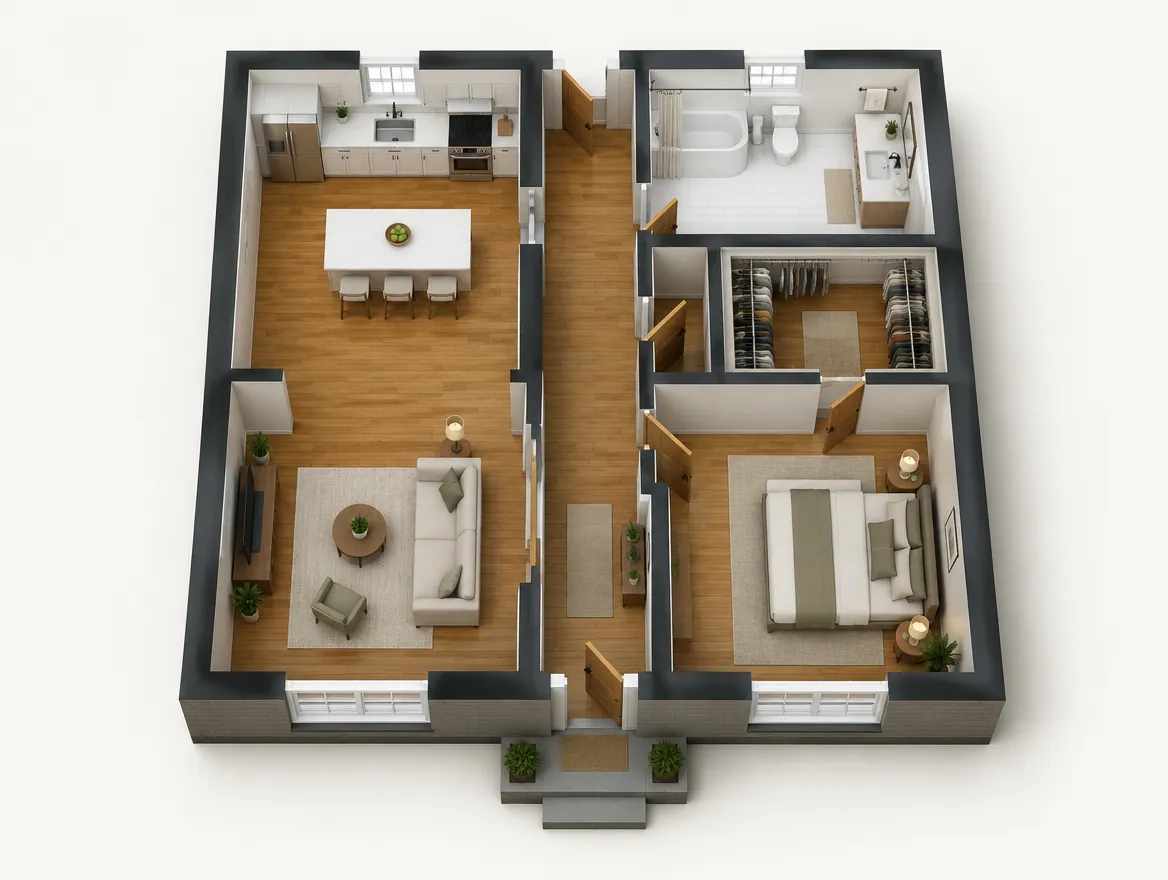
Full Floor Plan
See the complete birds-eye view of your scanned home — every room, hallway, and closet laid out in one glance.
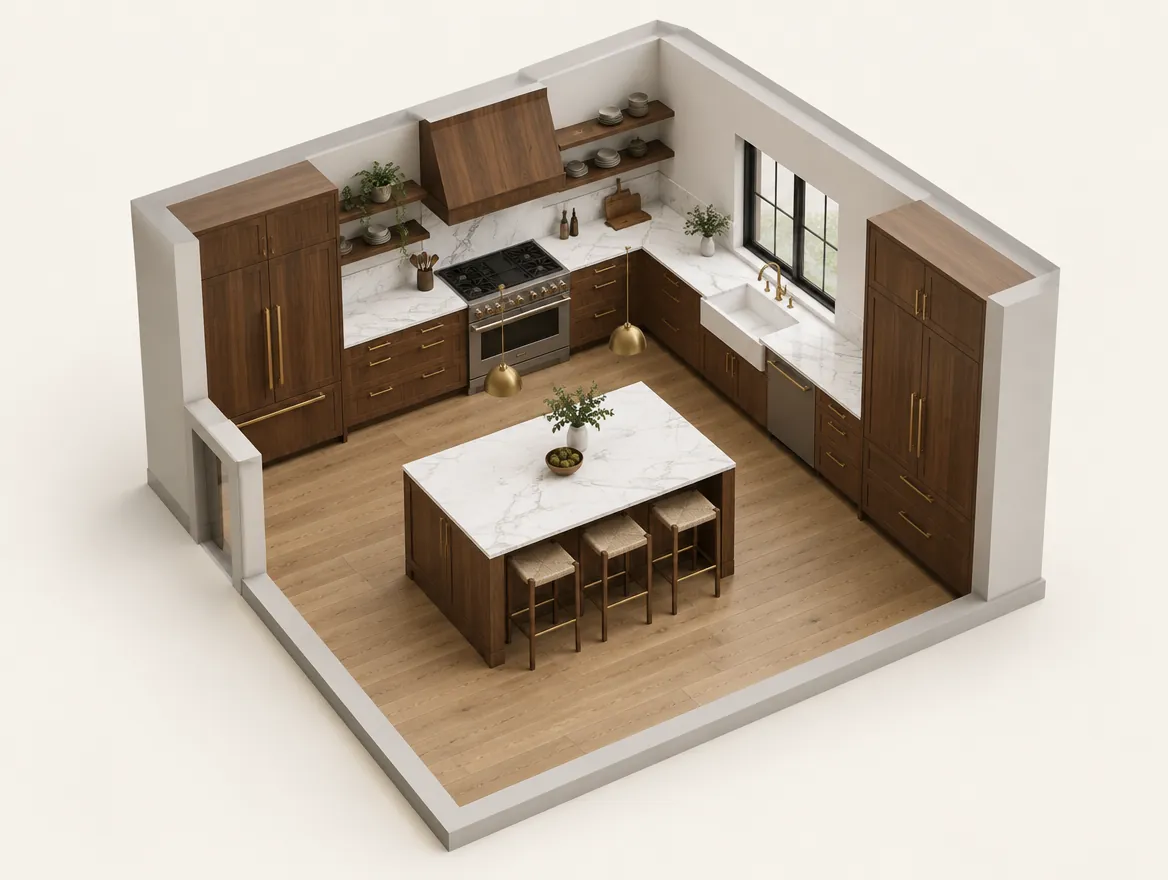
Room View
Walk through the space and interact with every element
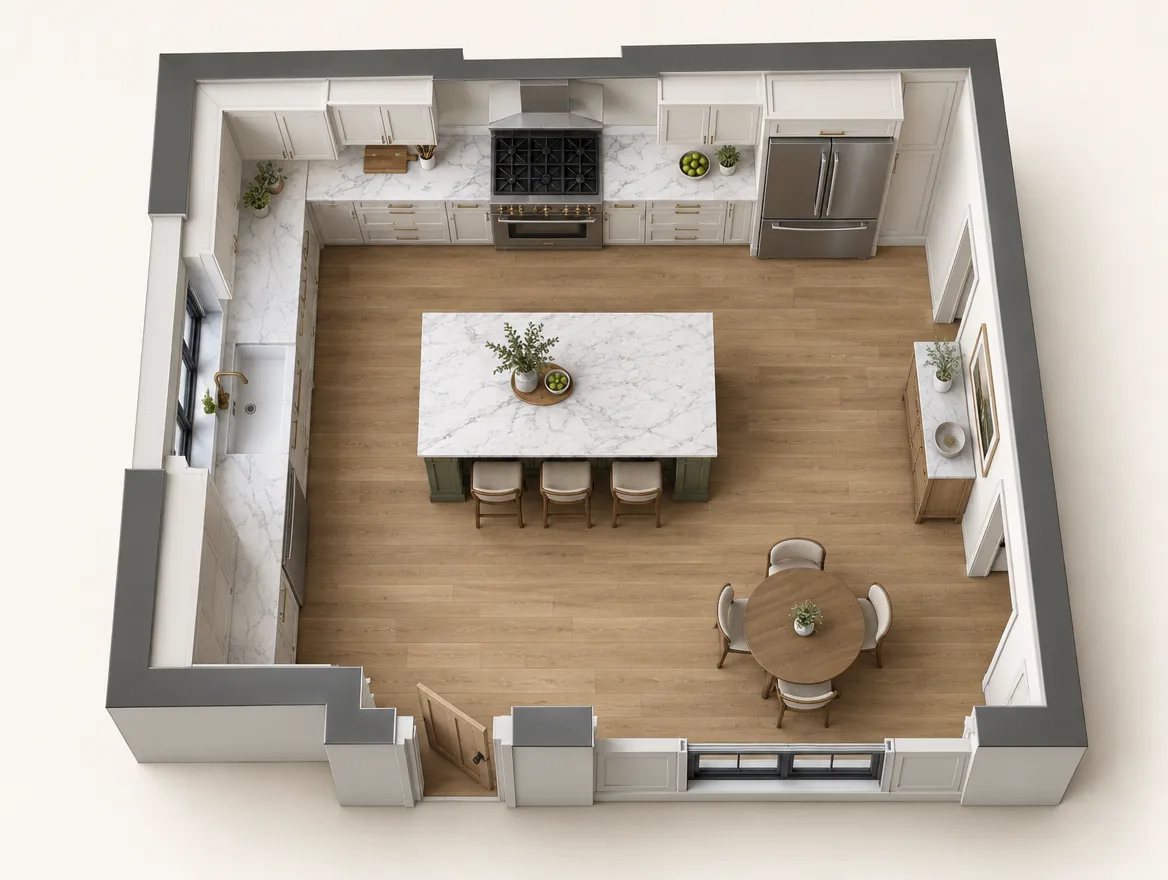
Overhead View
See the full layout — cabinets, island, appliances from above
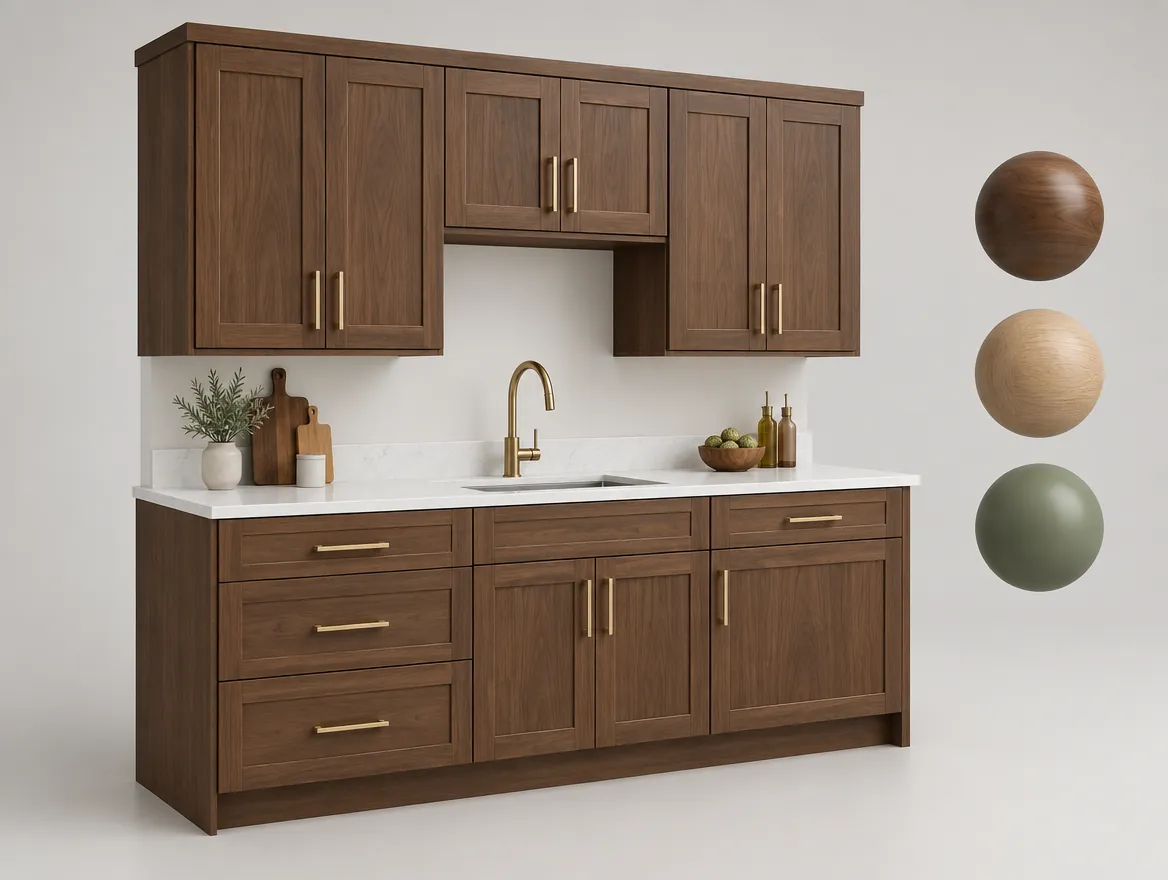
Component Editor
Select any element to isolate it — spin it around, swap face panels, change hardware, and pick finishes. Confirm and the entire layout updates to match.
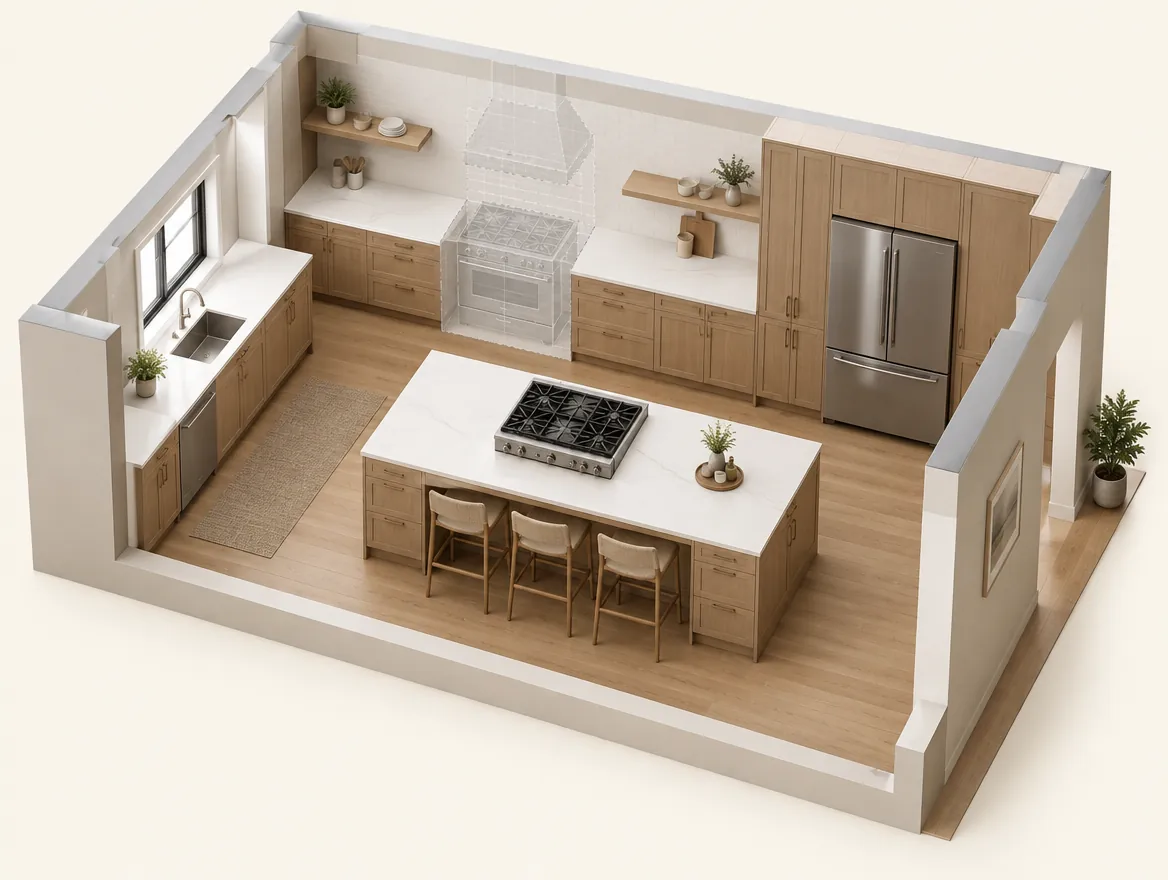
Smart Relocate
Drag any appliance to a new spot — cabinets and countertops auto-transform to fit the updated layout.
Full Floor Plan
See the complete birds-eye view of your scanned home — every room, hallway, and closet laid out in one glance.
Room View
Walk through the space and interact with every element
1 / 5

How it works
[01]
Scan the Room
Point your iPhone or iPad at any interior space. Alcovia uses LiDAR to create a precise 3D spatial model of the room in seconds.
[02]
Design the Remodel
Prompt the AI to make changes - move cabinets, swap countertops, add an island, change the backsplash. Upload Pinterest inspiration for reference.
[03]
Generate Renders
Alcovia produces photorealistic renders with real materials, daytime and nighttime lighting, and natural shadow simulation.
[04]
Present to Client
Export a polished PDF with wide-angle views, close-up details, and material breakdowns. Your client approves the design before work begins.
[05]
GrowthMeasurements, Takeoff & Pricing
Lock in the approved design and Alcovia delivers full measurements and floorplan sketches per room, a complete material takeoff for ordering, and an instant estimate using your custom price list. Go from scan to signed contract in one visit.
Compare Alcovia
One platform for the entire remodeling workflow
Most remodeling projects today require a patchwork of disconnected tools - scanning apps, design software, and estimating spreadsheets. Alcovia combines all of these into a single integrated platform, so you can go from scan to signed contract without switching tabs.
← Scroll to compare all platforms →
All Basic features, plus:
All Core features, plus:
Stop paying for five tools that don't talk to each other
Most solutions specialize in one category - scanning, visualization, or estimation. Alcovia is the only platform that supports the full remodeling lifecycle in one place.
Close more jobs. Visualize projects faster. Generate accurate quotes instantly. Manage everything in one platform. Deliver a better experience for your clients - and a better business for you.
Start your free projectSimple, transparent pricing
Start with our Basic visualizer or go all-in with LiDAR scanning and AI design tools.
Basic
Unlimited use. One flat cost.
- AI redesign / reskinning
AI photo visualizer
Upload any room photo, prompt the AI to redesign it, and get photorealistic renders instantly. Similar to renovate.ai.
Core
Per project file. No monthly fees.
- Phone room scan
- LiDAR scanning
- Auto floor plan generation
- 3D room modeling
- Client inspiration upload / reskin
- Photorealistic PDF export
AI visualizer + LiDAR scanning
Everything in Basic, plus LiDAR room scans, floor sketch plans, photorealistic renders, and client-ready PDF presentation export.
Growth
Everything you need.
- Material library / catalog
- Customer design portal
- Client design collaboration
- Material takeoff automation
- Instant project quote
- Vendor marketplace & contractor CRM
- Project management & scheduling
Full design-to-estimate suite
Everything in Core, plus full room measurements, material takeoffs, and instant on-the-spot estimates with your custom price list. Scan to signed contract in one visit.
Enterprise
For contractors doing 100+ projects/year.
- Everything in Growth
- Volume pricing discounts
- Priority rendering queue
- White-label presentations
- Dedicated account support
- Custom integrations
Frequently asked questions
Find answers to common questions about Alcovia, pricing, and how the platform works.
Alcovia is AI remodeling software for contractors. You scan a room with the LiDAR sensor on an iPhone Pro or iPad Pro, design the remodel with AI, generate photorealistic renders, and get measurements and an estimate to present to the client, all in one app and without CAD software.
Alcovia works with any iPhone or iPad equipped with a LiDAR scanner — including iPhone 12 Pro and newer and the iPad Pro (2020 and later).
Our Basic plan is $29 per seat per month and gives you the photo-to-AI visualizer with unlimited prompting and renders. For LiDAR scanning and PDF presentations, Core projects are $49 each. Growth projects are $199 and include full measurements, material takeoffs, and instant estimates with your custom price list. Your first Core or Growth project is free. For contractors doing 100+ projects per year, we offer custom Enterprise pricing.
Any interior space - kitchens, bathrooms, living rooms, basements, bedrooms, and commercial interiors. If you can walk into it, you can scan it.
Alcovia generates photorealistic renders using real material textures and lighting simulation. While renders are designed to closely represent the finished remodel, actual results may vary based on materials and installation.
Yes - that is the core purpose of Alcovia. You generate a presentation-ready PDF with full room renders, close-up details, and material breakdowns. Your client can approve or request revisions before any work begins.
Growth includes everything in Core plus full measurements of all materials per room, a complete material takeoff for ordering, instant estimate creation using your custom price list, and priority rendering. It is designed for contractors who want to go from scan to signed contract in one visit.
Yes. You can upgrade at any time and only pay the prorated difference for the remainder of your billing cycle. If you downgrade, the change takes effect at the start of your next billing period so you keep full access until then.
When you cancel, your account remains active until the end of your current billing period. After that, you lose access to scanning and rendering features, but you can still download any previously generated PDFs and renders from your project history for 90 days.
Your first Core or Growth project is completely free — no credit card required. After that, all paid plans come with a 14-day money-back guarantee. If Alcovia isn’t the right fit, just contact support for a full refund.
About Alcovia
Built by Alcovia, Inc.
In Partnership with AutomateHQ, Inc.
We believe every remodeling contractor deserves access to the same design tools that large firms use - without the cost, complexity, or learning curve.